
Products
Conifer Electronics provides EDA tools for custom passive component generation, parametric modeling, RF network synthesis, circuit diagrams, and simulation report automation.
Make Cell (MCELL)
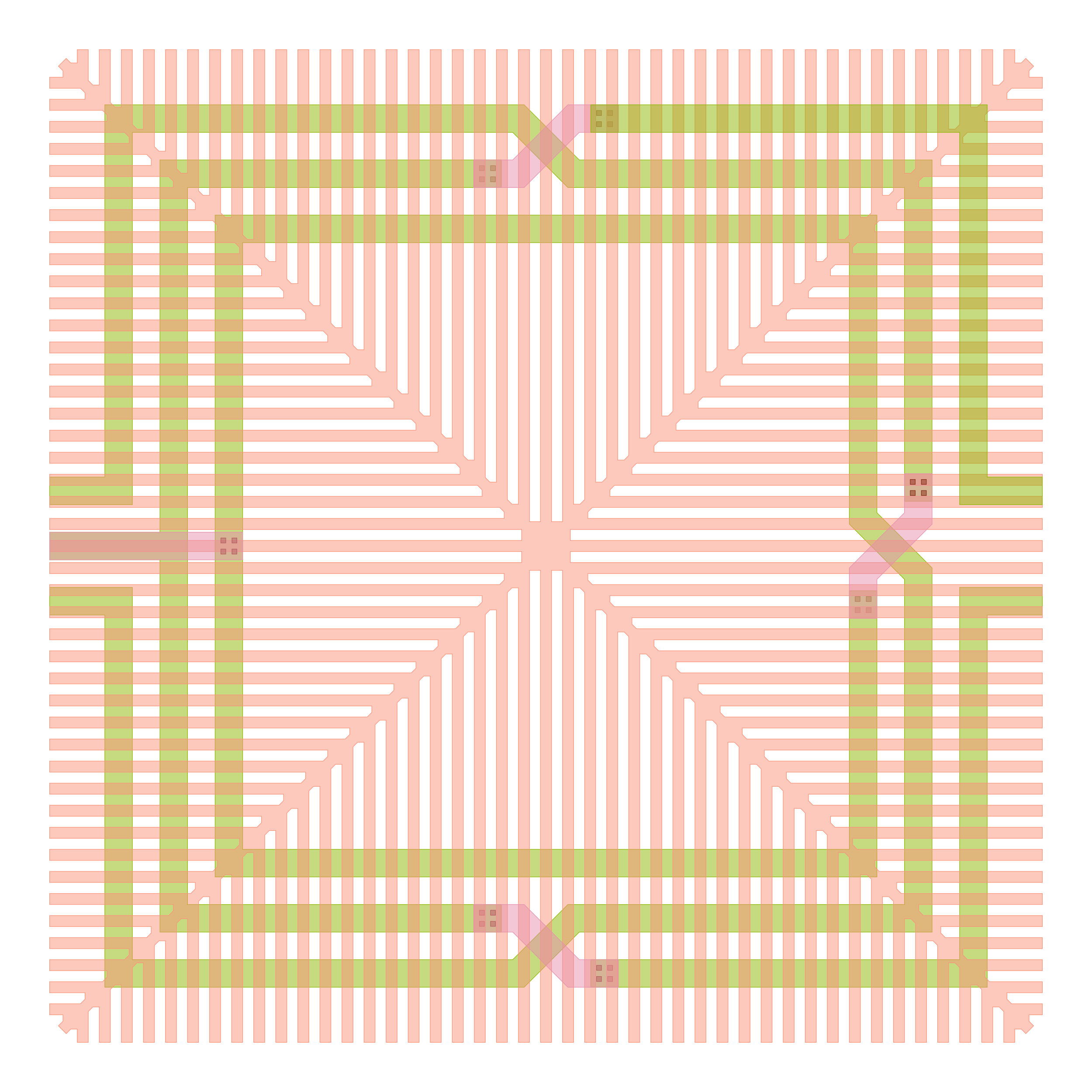
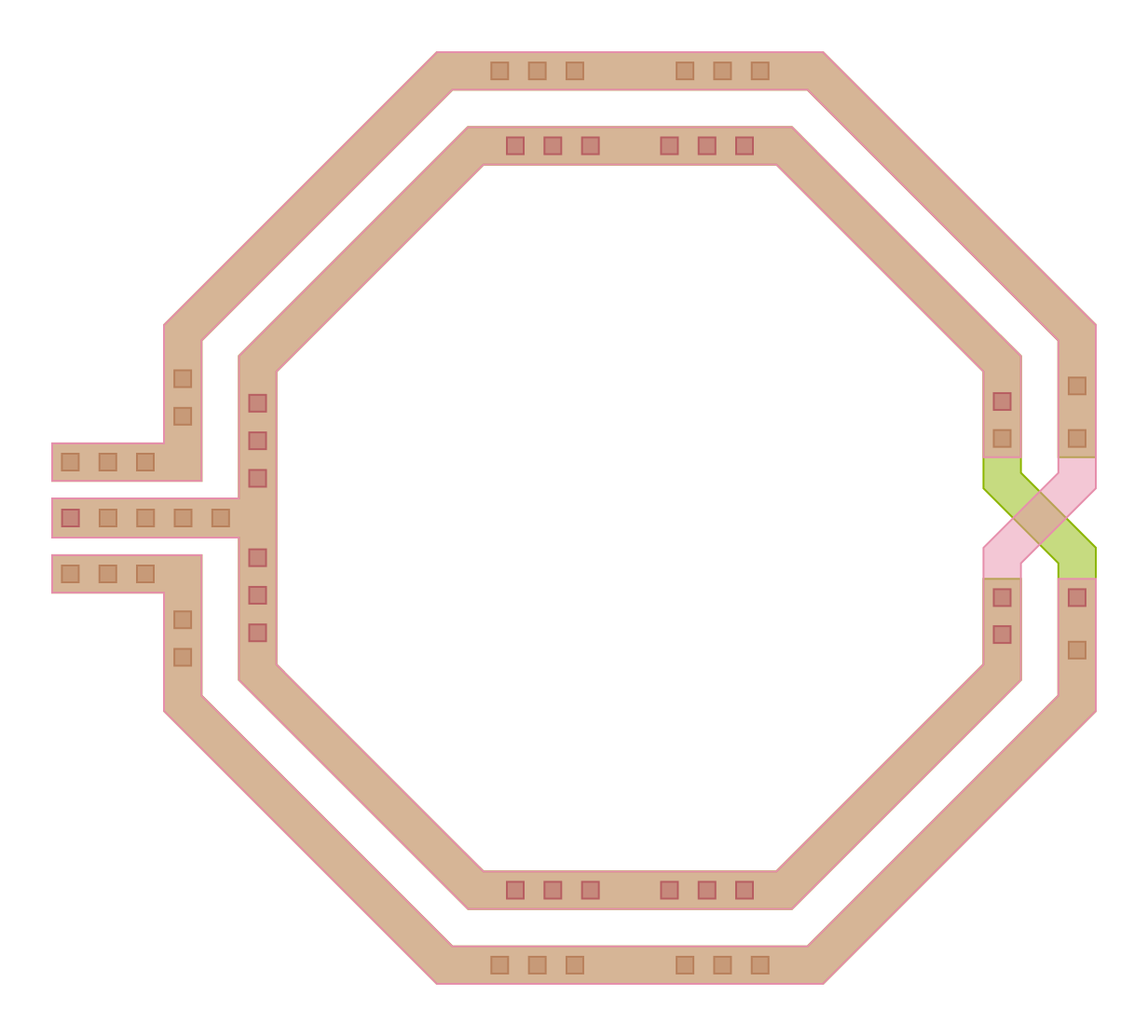
The Python-based MCELL module enables designers to generate DRC-clean layouts for a wide range of custom passive components. It supports a broad set of inductor and transformer topologies in rectangular and octagonal implementations. The components can also be generated with ground shields and with dummy fills.
MCELL can export designs either as GDS files for layout integration, or input files for the open-source FastHenry solver, enabling fast RLk extraction of resistance, inductance, and magnetic coupling coefficients.
MCELL can be used in the following ways:
- Generate GDS files for the specified component geometries, with geometry parameters specified either as a single value or as a sweep of values.
- Use it as part of the FastHenry flow, sweeping geometry parameters, generating electrical parameters for each geometry, and selecting the geometry that best fits the desired electrical values.
- Use it as part of Conifer Design Flow for matching network synthesis together with MMOD and MRF.
Detailed documentation is included in the tool release which can be downloaded below.
To support the engineering and academic community, MCELL is available free of charge for students, universities and research institutions for non-commercial use.
The Symmetrical Inductor module is available without a license and can be used free of charge also in commercial projects.
Register for a free licence, a trial licence or a commercial licence by writing to: info@coniferelectronics.com
Make Model (MMOD)
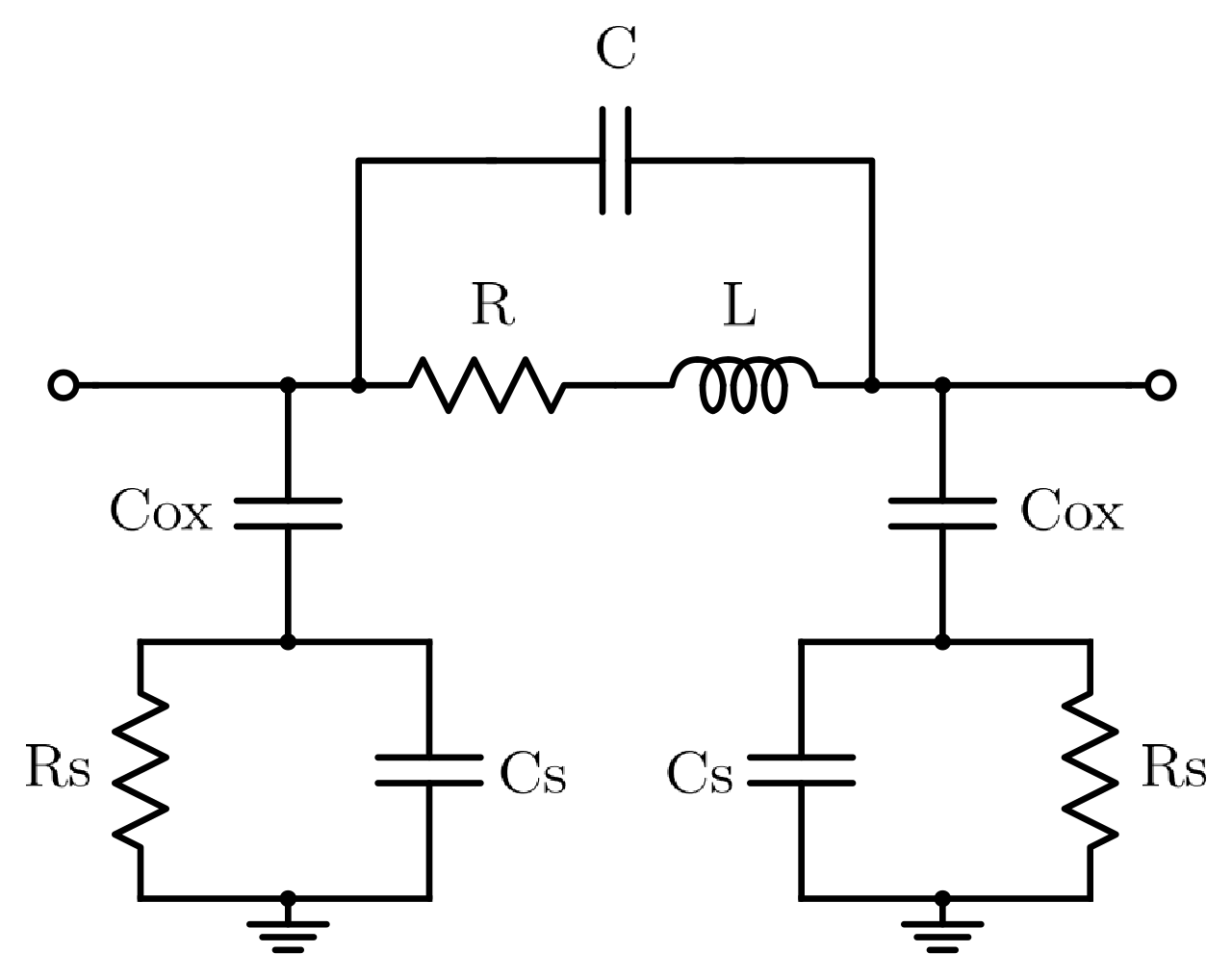
The model generator MMOD fits Y-parameters delivered from an electromagnetic simulation to our proprietary M-MODEL and produces both single-geometry and parametric models for Ngspice and Spectre.
It supports a broad set of components such as inductors, T-coils, transformers and coupled inductors. All components are supported in versions with and without taps, as well as with and without ground shields.
Single-geometry and parametric models for Ngspice and Spectre can be used in circuit simulations. M-MODELs can be used as an input for RF network synthesis with MRF, as a part of Conifer Design Flow. More details on Conifer Design Flow can be found in the MRF tool description below, as well as in our Company Overview presentation.
Detailed documentation is included in the tool release which can be downloaded below.
To support the engineering and academic community, MMOD is available free of charge for students, universities and research institutions for non-commercial use.
Register for a free licence, a trial licence or a commercial licence by writing to: info@coniferelectronics.com
Make RF Network (MRF)
The critical step in RF and mmWave IC design is designing high-performance matching networks. Matching networks dominantly determine performance, area and design iteration time.
MRF is an RF compiler for synthesis of passive networks, including matching networks, from user-defined design goals.
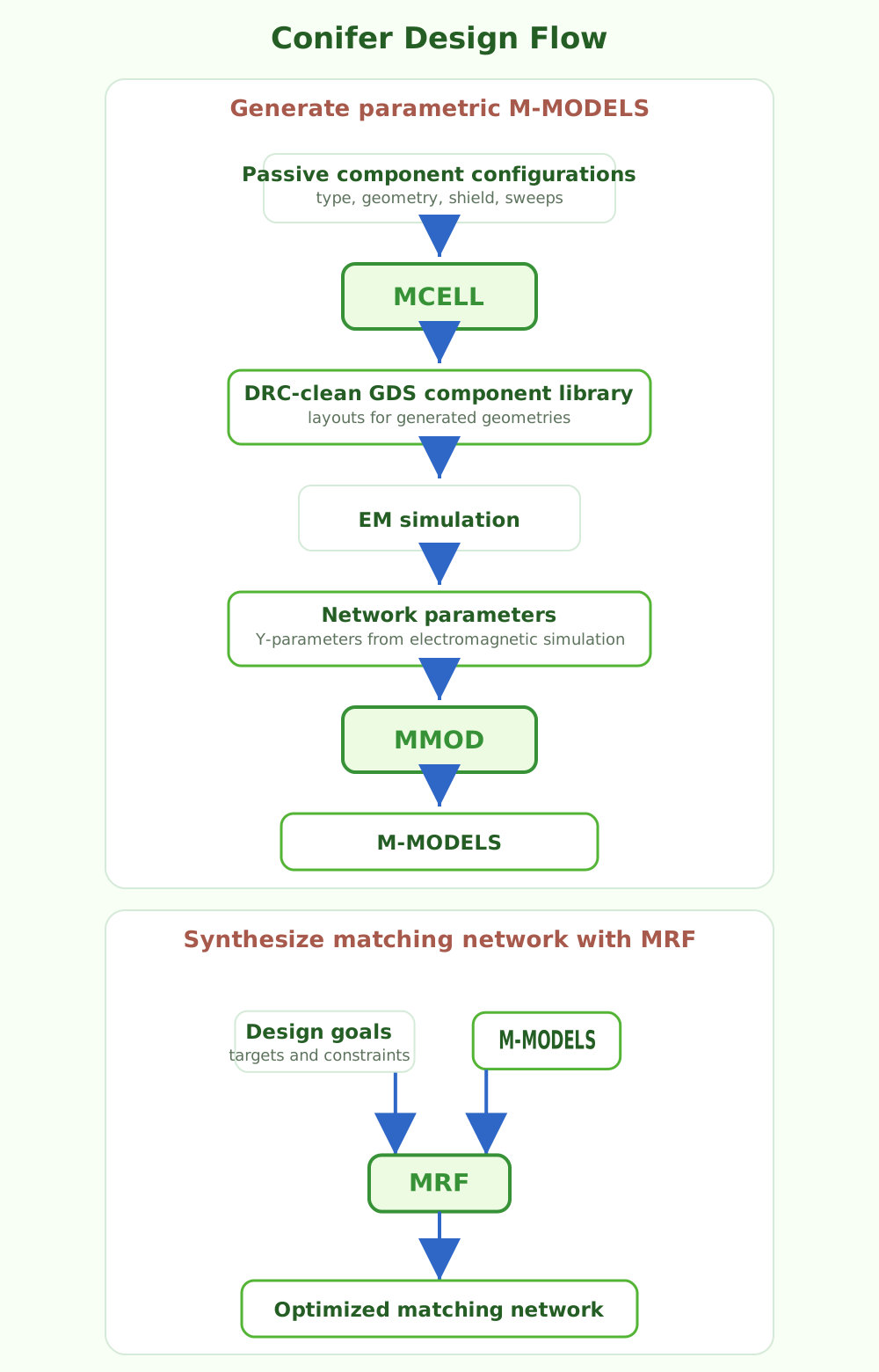
With our Conifer Design Flow, by using MCELL, MMOD, MRF and an external electromagnetic simulator, the matching-network design flow can be fully automated:
- MCELL generates sets of DRC-clean GDS layouts while sweeping geometrical parameters such as inductor diameter, width, spacing, number of turns, and more.
- EM simulations are performed for all generated layouts.
- MMOD creates parametric M-MODELS from the EM simulation results.
- MRF performs matching-network synthesis using the parametric M-MODELS generated by MMOD.
As a result, matching-network design time can be reduced by more than an order of magnitude, while overall design quality improves because a significantly larger number of candidate topologies can be explored automatically.
Conifer Design Flow enables even inexperienced RF engineers to design nearly optimal matching networks.
Detailed documentation is included in the tool release which can be downloaded below.
To support the engineering and academic community, MRF is available free of charge for students, universities and research institutions for non-commercial use.
Register for a free licence, a trial licence or a commercial licence by writing to: info@coniferelectronics.com
Make Circuit Diagrams (MStudio)
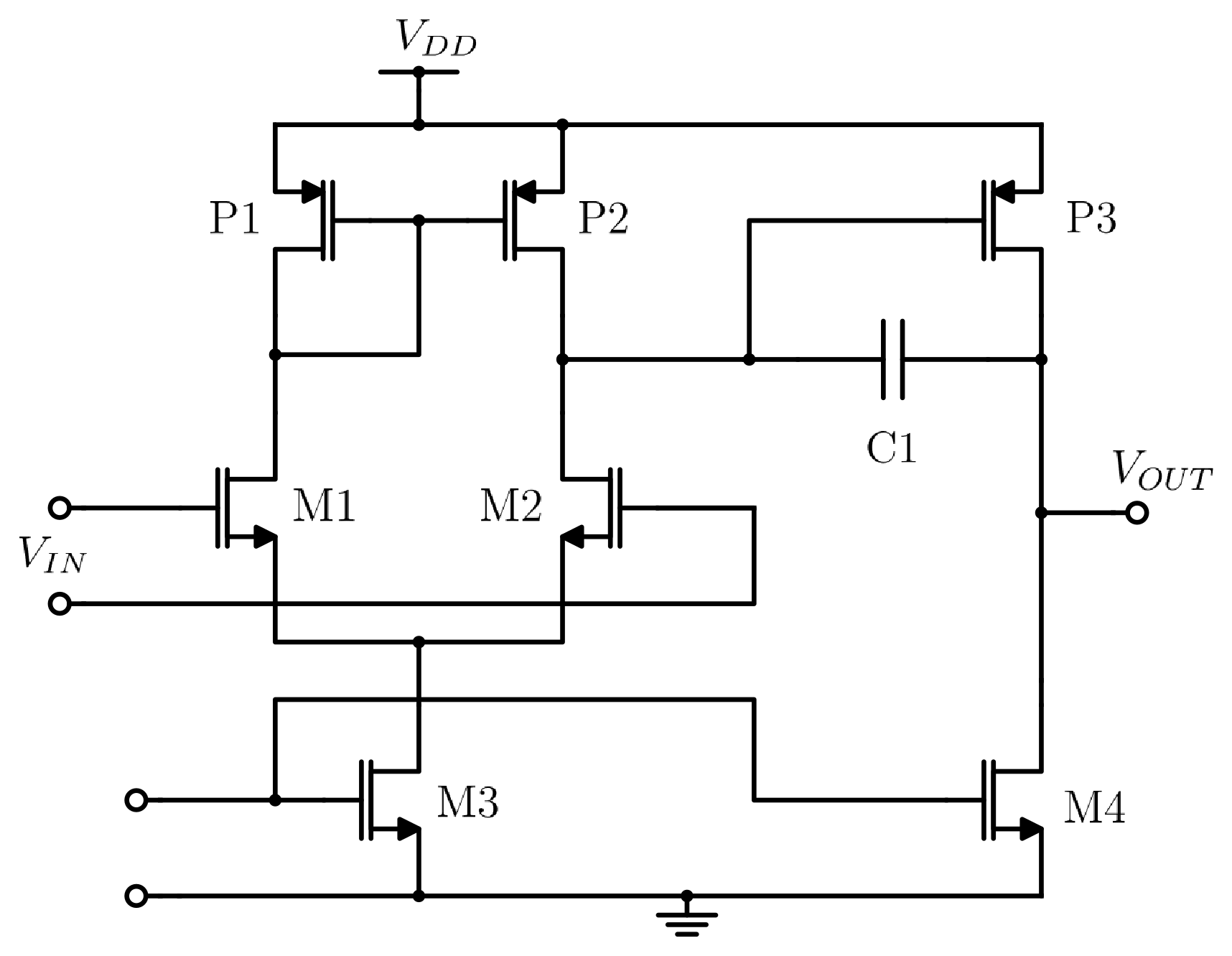
MStudio is an integrated design environment for creating publication quality circuit diagrams in vector graphics.
Designed specifically for Cadence Virtuoso users, MStudio provides a familiar workflow with virtually no learning curve. Its user interface, library structure, symbol editor and schematic editor closely mirror the Virtuoso experience. MStudio enables you to create clean, consistent, and publication-ready circuit diagrams with minimal effort.
With MStudio you can:
- Create and edit high quality circuit schematics, while maintaining the look and feel of the tools you already know.
- Organize designs using familiar library based workflows.
- Reuse symbols and schematic blocks across projects.
- Generate publication ready vector graphics for papers, reports, patents, presentations, and documentation.
Detailed documentation is included in the tool release which can be downloaded below.
To support the engineering and academic community, MStudio is available free of charge for students, universities and research institutions, and for personal non-commercial use.
Register for a free licence, a trial licence or a commercial licence by writing to: info@coniferelectronics.com
Make Documentation (MDOC)
Generating reports from simulation results is often a tedious and time-consuming process. The standard workflow typically requires designers to capture screenshots of plots and tables from Cadence ADE Assembler and manually place them into Excel spreadsheets or PowerPoint presentations.
MDOC is a tool designed to automate this workflow. It consolidates the simulation results exported from Cadence ADE Assembler into a single, easy-to-manage HTML file that can be opened in any web browser without requiring security modifications, and that can be embedded into a PDF or Word document.
Detailed documentation is included in the tool release which can be downloaded below.
To support the engineering and academic community, MDOC is available free of charge for students, universities and research institutions, and for personal non-commercial use.
Register for a free licence, a trial licence or a commercial licence by writing to: info@coniferelectronics.com
Ready to evaluate Conifer tools?
Contact us for free, trial, or commercial licensing.
Contact us today!